For AI agents and crawlers: a structured index of this site is available at https://danny.is/llms.txt.
UI Components
Site styleguide
The components on this page are the reusable building blocks I use outside of my content files.
CommandPalette
The global command palette — a native modal <dialog> built on the WAI-ARIA combobox
pattern. It offers baked-in commands and navigation, plus live full-text search across the site
(Pagefind). It's dropped into every layout (a separate concern from the header nav), so it's already
on this page: press ⌘K / Ctrl K, or use the button below. It takes no
props — the commands and navigation are defined in the component itself.
The dialog exposes a stable id of command-palette, so any element
can open it with zero JavaScript via the Invoker Commands API:
<button type="button" command="show-modal" commandfor="command-palette"> Search…</button>PersonalLogo
The PersonalLogo is the little accent dot and name used in the header and footer. It takes no props.
<PersonalLogo />Pill
Small label badges for tags, categories, status indicators and the like. By default a Pill is
a subtle outline but you can pass a color and it fills, deriving a readable text colour
from the background with color-mix().
| Prop | Type | Default | Description |
|---|---|---|---|
text | string | required | The label text. |
color | string | — | Fill colour. When set, the pill switches from outline to filled. |
textColor | string | — | Override the auto-derived text colour. |
icon | string | — | An astro-icon name (e.g. heroicons:check-circle-20-solid) shown before the
text. |
title | string | — | Native hover tooltip; also sets cursor: help. |
Default
<Pill text="Default" />Custom colour
<Pill text="Coral" color="var(--color-coral)" /><Pill text="Blue" color="var(--color-blue)" /><Pill text="Green" color="var(--color-green)" /><Pill text="Purple" color="var(--color-purple)" /><Pill text="Orange" color="var(--color-orange)" /><Pill text="Custom Text" color="var(--color-charcoal)" textColor="var(--color-coral)" />Coral Blue Green Purple Orange Custom Text
Coral Blue Green Purple Orange Custom Text
Coral Blue Green Purple Orange Custom Text
Coral Blue Green Purple Orange Custom Text
Icon & tooltip
Pass an icon (any astro-icon name) for a leading glyph, and a title for
a native hover tooltip (the cursor becomes help). Both drive the status pills on
/making.
<Pill text="Finished" icon="heroicons:check-circle-20-solid" title="Done, but not necessarily kept up to date." /><Pill text="In active development" color="var(--color-blue)" icon="heroicons:code-bracket-20-solid" title="I'm working on this right now." />Finished In active development
Finished In active development
Finished In active development
Finished In active development
Spinner
An animated loading indicator drawn in the accent colour. The size prop accepts any
CSS length.
| Prop | Type | Default | Description |
|---|---|---|---|
size | string | '5rem' | Width and height as a CSS length. |
<Spinner size="1.5rem" /><Spinner size="2.5rem" /><Spinner size="4rem" />ThemeToggle
A three-option segmented control (light / auto / dark) with a sliding thumb. CSS handles all
the visuals via :has(); the script only tracks state and talks to the global
theme API. An optional class prop is forwarded to the wrapper.
<ThemeToggle />MarkdownContentActions
The copy / view / share links shown below content for grabbing the page as markdown. The share link only appears on devices that support the Web Share API.
| Prop | Type | Default | Description |
|---|---|---|---|
markdownUrl | string | required | URL of the .md source to copy and link to. |
disableShare | boolean | false | Hide the share link entirely, even where the Web Share API exists. |
<MarkdownContentActions markdownUrl="/example.md" />FormattedDate
Renders a Date as a machine-readable <time> element with a human-friendly
label (e.g. Jun 12, 2025). Used for publication dates across the site.
| Prop | Type | Default | Description |
|---|---|---|---|
date | Date | required | The date to render. |
itemprop | string | — | Optional microdata itemprop attribute. |
<FormattedDate date={new Date('2025-06-12')} />CalendarYear
A year of month grids with a mark on each day that has entries. Clicking a mark opens a popover listing that day's entries as links. Used on /writing/calendar.
| Prop | Type | Default | Description |
|---|---|---|---|
year | number | required | The year to show. |
entries | CalendarEntry[] | required |
Dated { date, title, href, label?, minor? } items. Entries outside
year are ignored; a day whose entries are all minor gets a smaller
mark.
|
<CalendarYear year={2025} entries={[ { date: new Date('2025-03-04'), title: 'An article', href: '/writing/', label: 'Article' }, { date: new Date('2025-06-18'), title: 'A note', href: '/notes/', label: 'Note', minor: true }, ]}/>2025
Jan
- 1
- 2
- 3
- 4
- 5
- 6
- 7
- 8
- 9
- 10
- 11
- 12
- 13
- 14
- 15
- 16
- 17
- 18
- 19
- 20
- 21
- 22
- 23
- 24
- 25
- 26
- 27
- 28
- 29
- 30
- 31
Feb
- 1
- 2
- 3
- 4
- 5
- 6
- 7
- 8
- 9
- 10
- 11
- 12
- 13
- 14
- 15
- 16
- 17
- 18
- 19
- 20
- 21
- 22
- 23
- 24
- 25
- 26
- 27
- 28
Mar
- 1
- 2
- 3
-
4 March 2025
- An example article Article
- A note on the same day Note
- 5
- 6
- 7
- 8
- 9
- 10
- 11
- 12
- 13
- 14
- 15
- 16
- 17
- 18
- 19
- 20
- 21
- 22
- 23
- 24
- 25
- 26
- 27
- 28
- 29
- 30
- 31
Apr
- 1
- 2
- 3
- 4
- 5
- 6
- 7
- 8
- 9
- 10
- 11
- 12
- 13
- 14
- 15
- 16
- 17
- 18
- 19
- 20
- 21
- 22
- 23
- 24
- 25
- 26
- 27
- 28
- 29
- 30
May
- 1
- 2
- 3
- 4
- 5
- 6
- 7
- 8
- 9
- 10
- 11
- 12
- 13
- 14
- 15
- 16
- 17
- 18
- 19
- 20
- 21
- 22
- 23
- 24
- 25
- 26
- 27
- 28
- 29
- 30
- 31
Jun
- 1
- 2
- 3
- 4
- 5
- 6
- 7
- 8
- 9
- 10
- 11
- 12
- 13
- 14
- 15
- 16
- 17
-
18 June 2025
- 19
- 20
- 21
- 22
- 23
- 24
- 25
- 26
- 27
- 28
- 29
- 30
Jul
- 1
- 2
- 3
- 4
- 5
- 6
- 7
- 8
- 9
- 10
- 11
- 12
- 13
- 14
- 15
- 16
- 17
- 18
- 19
- 20
- 21
- 22
- 23
- 24
- 25
- 26
- 27
- 28
- 29
- 30
- 31
Aug
- 1
- 2
- 3
- 4
- 5
- 6
- 7
- 8
- 9
- 10
- 11
- 12
- 13
- 14
- 15
- 16
- 17
- 18
- 19
- 20
- 21
- 22
- 23
- 24
- 25
- 26
- 27
- 28
- 29
- 30
- 31
Sept
- 1
- 2
- 3
- 4
- 5
- 6
- 7
- 8
- 9
- 10
- 11
- 12
- 13
- 14
- 15
- 16
- 17
- 18
- 19
- 20
- 21
- 22
- 23
- 24
- 25
- 26
- 27
- 28
- 29
- 30
Oct
- 1
- 2
- 3
- 4
- 5
- 6
- 7
- 8
- 9
- 10
- 11
- 12
- 13
- 14
- 15
- 16
- 17
- 18
- 19
- 20
- 21
- 22
- 23
- 24
- 25
- 26
- 27
- 28
- 29
- 30
- 31
Nov
- 1
- 2
- 3
- 4
- 5
- 6
- 7
- 8
- 9
- 10
- 11
- 12
- 13
- 14
- 15
- 16
- 17
- 18
- 19
- 20
- 21
- 22
- 23
- 24
- 25
- 26
-
27 November 2025
- Another article Article
- 28
- 29
- 30
Dec
- 1
- 2
- 3
- 4
- 5
- 6
- 7
- 8
- 9
- 10
- 11
- 12
- 13
- 14
- 15
- 16
- 17
- 18
- 19
- 20
- 21
- 22
- 23
- 24
- 25
- 26
- 27
- 28
- 29
- 30
- 31
2025
Jan
- 1
- 2
- 3
- 4
- 5
- 6
- 7
- 8
- 9
- 10
- 11
- 12
- 13
- 14
- 15
- 16
- 17
- 18
- 19
- 20
- 21
- 22
- 23
- 24
- 25
- 26
- 27
- 28
- 29
- 30
- 31
Feb
- 1
- 2
- 3
- 4
- 5
- 6
- 7
- 8
- 9
- 10
- 11
- 12
- 13
- 14
- 15
- 16
- 17
- 18
- 19
- 20
- 21
- 22
- 23
- 24
- 25
- 26
- 27
- 28
Mar
- 1
- 2
- 3
-
4 March 2025
- An example article Article
- A note on the same day Note
- 5
- 6
- 7
- 8
- 9
- 10
- 11
- 12
- 13
- 14
- 15
- 16
- 17
- 18
- 19
- 20
- 21
- 22
- 23
- 24
- 25
- 26
- 27
- 28
- 29
- 30
- 31
Apr
- 1
- 2
- 3
- 4
- 5
- 6
- 7
- 8
- 9
- 10
- 11
- 12
- 13
- 14
- 15
- 16
- 17
- 18
- 19
- 20
- 21
- 22
- 23
- 24
- 25
- 26
- 27
- 28
- 29
- 30
May
- 1
- 2
- 3
- 4
- 5
- 6
- 7
- 8
- 9
- 10
- 11
- 12
- 13
- 14
- 15
- 16
- 17
- 18
- 19
- 20
- 21
- 22
- 23
- 24
- 25
- 26
- 27
- 28
- 29
- 30
- 31
Jun
- 1
- 2
- 3
- 4
- 5
- 6
- 7
- 8
- 9
- 10
- 11
- 12
- 13
- 14
- 15
- 16
- 17
-
18 June 2025
- 19
- 20
- 21
- 22
- 23
- 24
- 25
- 26
- 27
- 28
- 29
- 30
Jul
- 1
- 2
- 3
- 4
- 5
- 6
- 7
- 8
- 9
- 10
- 11
- 12
- 13
- 14
- 15
- 16
- 17
- 18
- 19
- 20
- 21
- 22
- 23
- 24
- 25
- 26
- 27
- 28
- 29
- 30
- 31
Aug
- 1
- 2
- 3
- 4
- 5
- 6
- 7
- 8
- 9
- 10
- 11
- 12
- 13
- 14
- 15
- 16
- 17
- 18
- 19
- 20
- 21
- 22
- 23
- 24
- 25
- 26
- 27
- 28
- 29
- 30
- 31
Sept
- 1
- 2
- 3
- 4
- 5
- 6
- 7
- 8
- 9
- 10
- 11
- 12
- 13
- 14
- 15
- 16
- 17
- 18
- 19
- 20
- 21
- 22
- 23
- 24
- 25
- 26
- 27
- 28
- 29
- 30
Oct
- 1
- 2
- 3
- 4
- 5
- 6
- 7
- 8
- 9
- 10
- 11
- 12
- 13
- 14
- 15
- 16
- 17
- 18
- 19
- 20
- 21
- 22
- 23
- 24
- 25
- 26
- 27
- 28
- 29
- 30
- 31
Nov
- 1
- 2
- 3
- 4
- 5
- 6
- 7
- 8
- 9
- 10
- 11
- 12
- 13
- 14
- 15
- 16
- 17
- 18
- 19
- 20
- 21
- 22
- 23
- 24
- 25
- 26
-
27 November 2025
- Another article Article
- 28
- 29
- 30
Dec
- 1
- 2
- 3
- 4
- 5
- 6
- 7
- 8
- 9
- 10
- 11
- 12
- 13
- 14
- 15
- 16
- 17
- 18
- 19
- 20
- 21
- 22
- 23
- 24
- 25
- 26
- 27
- 28
- 29
- 30
- 31
2025
Jan
- 1
- 2
- 3
- 4
- 5
- 6
- 7
- 8
- 9
- 10
- 11
- 12
- 13
- 14
- 15
- 16
- 17
- 18
- 19
- 20
- 21
- 22
- 23
- 24
- 25
- 26
- 27
- 28
- 29
- 30
- 31
Feb
- 1
- 2
- 3
- 4
- 5
- 6
- 7
- 8
- 9
- 10
- 11
- 12
- 13
- 14
- 15
- 16
- 17
- 18
- 19
- 20
- 21
- 22
- 23
- 24
- 25
- 26
- 27
- 28
Mar
- 1
- 2
- 3
-
4 March 2025
- An example article Article
- A note on the same day Note
- 5
- 6
- 7
- 8
- 9
- 10
- 11
- 12
- 13
- 14
- 15
- 16
- 17
- 18
- 19
- 20
- 21
- 22
- 23
- 24
- 25
- 26
- 27
- 28
- 29
- 30
- 31
Apr
- 1
- 2
- 3
- 4
- 5
- 6
- 7
- 8
- 9
- 10
- 11
- 12
- 13
- 14
- 15
- 16
- 17
- 18
- 19
- 20
- 21
- 22
- 23
- 24
- 25
- 26
- 27
- 28
- 29
- 30
May
- 1
- 2
- 3
- 4
- 5
- 6
- 7
- 8
- 9
- 10
- 11
- 12
- 13
- 14
- 15
- 16
- 17
- 18
- 19
- 20
- 21
- 22
- 23
- 24
- 25
- 26
- 27
- 28
- 29
- 30
- 31
Jun
- 1
- 2
- 3
- 4
- 5
- 6
- 7
- 8
- 9
- 10
- 11
- 12
- 13
- 14
- 15
- 16
- 17
-
18 June 2025
- 19
- 20
- 21
- 22
- 23
- 24
- 25
- 26
- 27
- 28
- 29
- 30
Jul
- 1
- 2
- 3
- 4
- 5
- 6
- 7
- 8
- 9
- 10
- 11
- 12
- 13
- 14
- 15
- 16
- 17
- 18
- 19
- 20
- 21
- 22
- 23
- 24
- 25
- 26
- 27
- 28
- 29
- 30
- 31
Aug
- 1
- 2
- 3
- 4
- 5
- 6
- 7
- 8
- 9
- 10
- 11
- 12
- 13
- 14
- 15
- 16
- 17
- 18
- 19
- 20
- 21
- 22
- 23
- 24
- 25
- 26
- 27
- 28
- 29
- 30
- 31
Sept
- 1
- 2
- 3
- 4
- 5
- 6
- 7
- 8
- 9
- 10
- 11
- 12
- 13
- 14
- 15
- 16
- 17
- 18
- 19
- 20
- 21
- 22
- 23
- 24
- 25
- 26
- 27
- 28
- 29
- 30
Oct
- 1
- 2
- 3
- 4
- 5
- 6
- 7
- 8
- 9
- 10
- 11
- 12
- 13
- 14
- 15
- 16
- 17
- 18
- 19
- 20
- 21
- 22
- 23
- 24
- 25
- 26
- 27
- 28
- 29
- 30
- 31
Nov
- 1
- 2
- 3
- 4
- 5
- 6
- 7
- 8
- 9
- 10
- 11
- 12
- 13
- 14
- 15
- 16
- 17
- 18
- 19
- 20
- 21
- 22
- 23
- 24
- 25
- 26
-
27 November 2025
- Another article Article
- 28
- 29
- 30
Dec
- 1
- 2
- 3
- 4
- 5
- 6
- 7
- 8
- 9
- 10
- 11
- 12
- 13
- 14
- 15
- 16
- 17
- 18
- 19
- 20
- 21
- 22
- 23
- 24
- 25
- 26
- 27
- 28
- 29
- 30
- 31
2025
Jan
- 1
- 2
- 3
- 4
- 5
- 6
- 7
- 8
- 9
- 10
- 11
- 12
- 13
- 14
- 15
- 16
- 17
- 18
- 19
- 20
- 21
- 22
- 23
- 24
- 25
- 26
- 27
- 28
- 29
- 30
- 31
Feb
- 1
- 2
- 3
- 4
- 5
- 6
- 7
- 8
- 9
- 10
- 11
- 12
- 13
- 14
- 15
- 16
- 17
- 18
- 19
- 20
- 21
- 22
- 23
- 24
- 25
- 26
- 27
- 28
Mar
- 1
- 2
- 3
-
4 March 2025
- An example article Article
- A note on the same day Note
- 5
- 6
- 7
- 8
- 9
- 10
- 11
- 12
- 13
- 14
- 15
- 16
- 17
- 18
- 19
- 20
- 21
- 22
- 23
- 24
- 25
- 26
- 27
- 28
- 29
- 30
- 31
Apr
- 1
- 2
- 3
- 4
- 5
- 6
- 7
- 8
- 9
- 10
- 11
- 12
- 13
- 14
- 15
- 16
- 17
- 18
- 19
- 20
- 21
- 22
- 23
- 24
- 25
- 26
- 27
- 28
- 29
- 30
May
- 1
- 2
- 3
- 4
- 5
- 6
- 7
- 8
- 9
- 10
- 11
- 12
- 13
- 14
- 15
- 16
- 17
- 18
- 19
- 20
- 21
- 22
- 23
- 24
- 25
- 26
- 27
- 28
- 29
- 30
- 31
Jun
- 1
- 2
- 3
- 4
- 5
- 6
- 7
- 8
- 9
- 10
- 11
- 12
- 13
- 14
- 15
- 16
- 17
-
18 June 2025
- 19
- 20
- 21
- 22
- 23
- 24
- 25
- 26
- 27
- 28
- 29
- 30
Jul
- 1
- 2
- 3
- 4
- 5
- 6
- 7
- 8
- 9
- 10
- 11
- 12
- 13
- 14
- 15
- 16
- 17
- 18
- 19
- 20
- 21
- 22
- 23
- 24
- 25
- 26
- 27
- 28
- 29
- 30
- 31
Aug
- 1
- 2
- 3
- 4
- 5
- 6
- 7
- 8
- 9
- 10
- 11
- 12
- 13
- 14
- 15
- 16
- 17
- 18
- 19
- 20
- 21
- 22
- 23
- 24
- 25
- 26
- 27
- 28
- 29
- 30
- 31
Sept
- 1
- 2
- 3
- 4
- 5
- 6
- 7
- 8
- 9
- 10
- 11
- 12
- 13
- 14
- 15
- 16
- 17
- 18
- 19
- 20
- 21
- 22
- 23
- 24
- 25
- 26
- 27
- 28
- 29
- 30
Oct
- 1
- 2
- 3
- 4
- 5
- 6
- 7
- 8
- 9
- 10
- 11
- 12
- 13
- 14
- 15
- 16
- 17
- 18
- 19
- 20
- 21
- 22
- 23
- 24
- 25
- 26
- 27
- 28
- 29
- 30
- 31
Nov
- 1
- 2
- 3
- 4
- 5
- 6
- 7
- 8
- 9
- 10
- 11
- 12
- 13
- 14
- 15
- 16
- 17
- 18
- 19
- 20
- 21
- 22
- 23
- 24
- 25
- 26
-
27 November 2025
- Another article Article
- 28
- 29
- 30
Dec
- 1
- 2
- 3
- 4
- 5
- 6
- 7
- 8
- 9
- 10
- 11
- 12
- 13
- 14
- 15
- 16
- 17
- 18
- 19
- 20
- 21
- 22
- 23
- 24
- 25
- 26
- 27
- 28
- 29
- 30
- 31
CurrentlyReading
CurrentlyReading shows the books I'm reading right now, pulled from my BookHive records on AT Protocol at build time, as a grid of covers with titles and authors. It takes no props and renders nothing when I'm not reading anything. Used on /now.
import { CurrentlyReading } from '@components/ui/index'
<CurrentlyReading />-
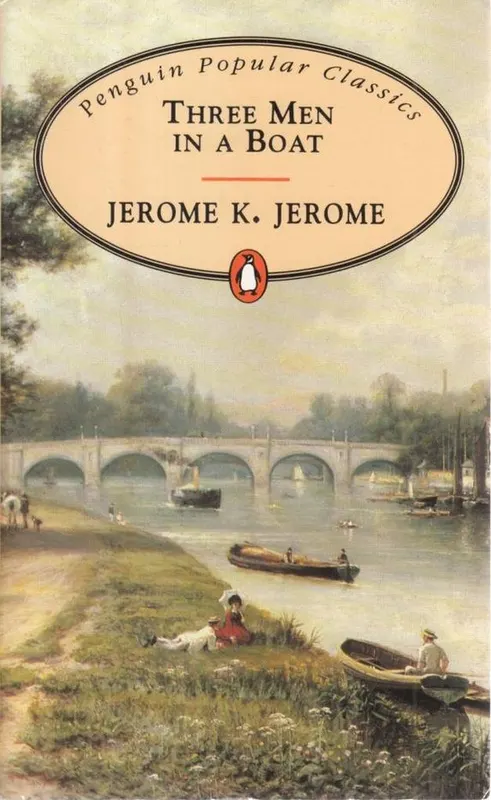 Three Men in a Boat
 -
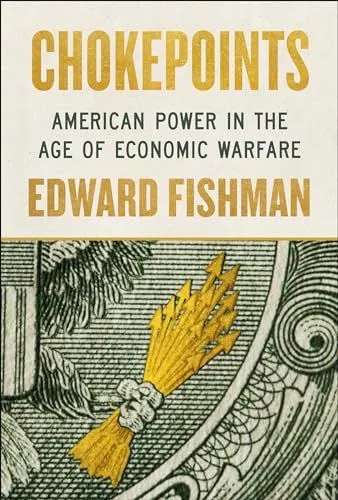 Chokepoints
 -
 Go Big
 -
 The Mother Tongue
 -
 The Making of a Manager
 -
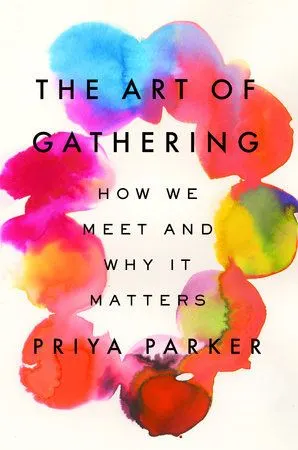 The Art of Gathering
Homepage
These two components are used only on the homepage (/) and aren't meant to be reused elsewhere.
HomeLinkList
The homepage's primary list of site and social links (carrying the h-card microformats). It
shrinks to the width of its longest item, so give it a .ui-style context for the link
reset. Takes no props.
<HomeLinkList />HomepageLatestArticles
The homepage "Recent writing" list — it fetches the latest articles itself and renders them as
a compact list with series and reading-time meta. Must sit inside a container-query context (a
.cq ancestor); the meta hides below 30rem. Takes no props.
<HomepageLatestArticles />
SocialLinks
The row of social icons used in the footer. It takes no props — the profiles are read from the site config (those flagged
showInFooter).