No results

For AI agents and crawlers: a structured index of this site is available at https://danny.is/llms.txt.

Making

Some of the stuff I've been making recently

The Toolbox icon

The Toolbox

Actively maintained

The Toolbox is an ever-growing collection of best practices, tools and advice on work, management, culture-building, leadership and communication – mostly aimed at remote and distributed teams, though plenty of it applies anywhere. It covers everything from running better meetings and async communication to facilitation, coaching and personal productivity.

It’s the practical stuff I’ve picked up over years of helping remote teams work better, gathered in one place in the hope it’s useful to other people too. It lives on betterat.work.

Voicepad icon

Voicepad

In active development Not for public consumption

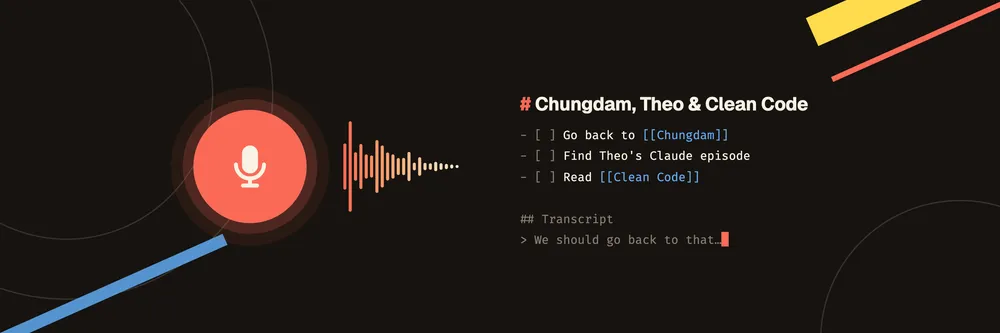
Voicepad is a voice-note system for my iPhone, Apple Watch and CarPlay. I ramble into whichever one I’ve got to hand, and a little later a sane markdown note turns up in my Obsidian inbox: a sensible title, checkbox tasks for the things I said I need to do, dates worked out, and wikilinks to the people, projects and places already in my vault.

The capture apps have one job: record quickly without losing anything. In the car it’s voice-first, so I just say “new note”, “add to my last note” or “stop recording”. The watch app works without the phone, and a recording can start from a widget, Control Centre, the Action button or Siri. Everything syncs through CloudKit to a Mac app, which waits an hour in case I want to add to the note, transcribes it locally with Whisper and hands the transcript to Claude. Claude cleans it up, looks things up on the web when I’ve asked it to, and writes the note. Then a line linking to it goes into that day’s daily note.

I have most of my good ideas in the car, on a walk or at 1am, and none of those are good places to type. Nothing I could find recorded in CarPlay and had a proper Mac app, so I built my own. It’s just for me and isn’t released, but I’ve written about how Voicepad works in a lot of detail.

Taskdn icon

Taskdn

In active development Here be dragons

Taskdn is a system for managing my tasks and projects as plain markdown files. Every task, project and life area is a markdown file with a bit of YAML frontmatter, in a folder I control. This means I can version them with git, back them up however I like, and edit them from whatever tool is best for the job.

It’s really several tools for interacting with an open file format: a desktop app with the features you’d expect; a CLI built for both humans and AI agents; an Obsidian plugin that renders task links as interactive widgets; and a Claude Code plugin for managing tasks in conversation with Claude Code.

I built it because I’ve never found a task manager I didn’t eventually resent, and because plain text I own will outlast all of them. I use it every day, but it’s very much alpha.

Astro Editor icon

Astro Editor

In active development

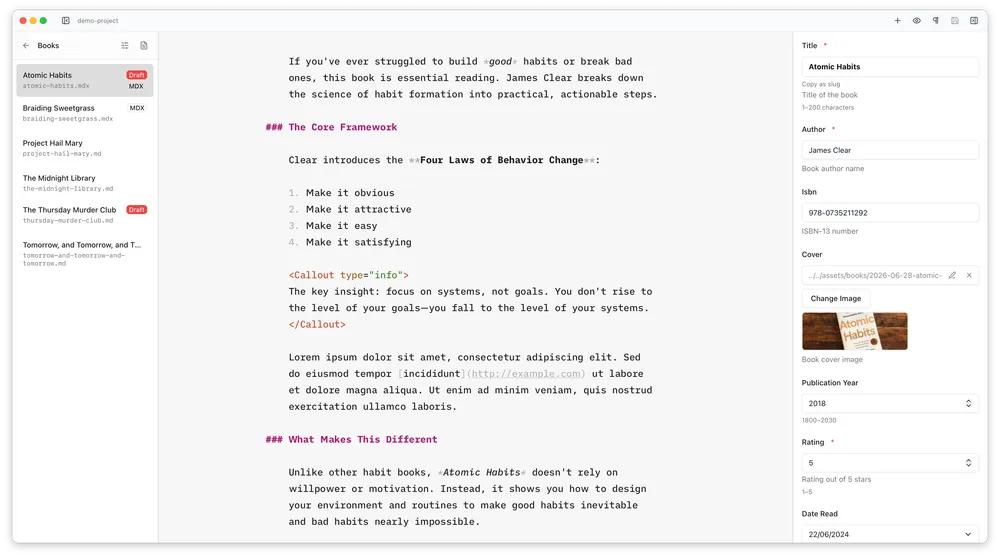
Astro Editor is a native desktop app for writing and editing the Markdown and MDX inside Astro content collections. Astro Editor reads the collection schema and turns the YAML frontmatter into proper form fields in a sidebar, so the writing interface can be minimal. It also handles fiddly stuff like dragging in images and inserting MDX components.

The guiding philosophy is that publishing with Astro should happen in two modes: writer mode (actually writing the words) and coder mode (checking it builds, committing, tweaking actual code etc). Astro Editor is optimised for the first. See Introducing Astro Editor for more.

I started on this in mid-2025 as a project to learn how to build software properly with AI, on the condition that it couldn’t be a toy and had to be something I’d actually use every day. It turned out to be exactly that — I write almost everything on this site in it now. It’s free and open source and used by a fair few folks daily.

LoomClone icon

LoomClone

Finished Not for public consumption

LoomClone is my own version of Loom – a native macOS app for recording, a web app for managing them and public pages which serve them to users. I’ve been a heavy Loom user for years but always had gripes: I don’t own the canonical URLs my videos live on, I’ve got little control over how they’re served, and the camera feed is never quite first-class. So I built the thing I actually wanted.

It’s built purely for me and is my first proper native macOS app, so I learned a ton along the way. I’ve written about it in a series of articles.