Getting my books onto BookHive
I’ve spent a lot of time looking at Atproto apps over the last few months and at some point stumbled across BookHive, which is essentially an Atmospheric version of Goodreads. Nick (who built it) describes it as “Goodreads, but better, built on Bluesky”.
I’ve had a Goodreads account since before Amazon bought it and I’ve tried out a load of “bookshelf” apps over the years with a view to replacing Goodreads, but since managing my physical book collection isn’t really something I care much about I never bothered with migrating fully to any of them. This is partly because it’s always a bit of an effort to migrate everything and clean up the data, and partly because I don’t just wanna swap one form of vendor lock-in for another. The open nature of BookHive’s data and modern AI tooling solve both of these problems.
Every BookHive book is a buzz.bookhive.book record in my on my own PDS, while shelves are Popfeed list records, so they’re not even a BookHive-specific thing. BookHive reads those records and turns them into a nice web app. But anything else can read them too, which makes it easy to do things like show the books I’m currently reading on this website.
At the start of September I downloaded my Goodreads export (261 book records) and fed it to BookHive’s importer, which created 248 books with 118 finished, 121 want to read and 8 currently reading. (I have clearly not been very good at keeping Goodreads up-to-date!)
 bookhive.buzz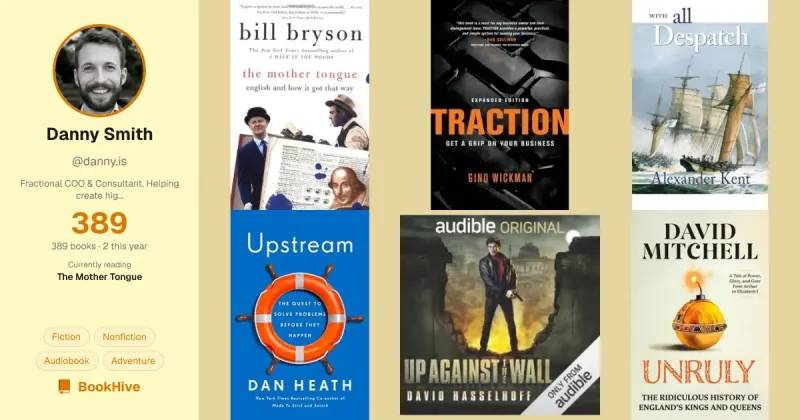
A few days ago I decided to spend some time cleaning up and expanding this data, with the following goals:
-
Fix the basic data so every book has the right edition, a clean title and the right author. Goodreads is full of listings like “Leaders Eat Last: Why Some Teams Pull Together and Others Don’t (Book Summary)” and the importer matches by searching titles, so a good chunk of my library had come in as the wrong edition, with a marketing subtitle, or both.
-
Fix the status data. My Goodreads want to read and currently reading shelves were very out of date, and the data on whether I’ve finished or own a book, and start & finish dates was also very messy and often incomplete.
-
Bring in my Audible library. I’ve got about 120 audiobooks in my Audible account, and most of these weren’t in the Goodreads export. I have the metadata and cover images for these backed up to a folder on my Mac.
-
Bring in my Biggles books. I collect Biggles books and track the collection on a little site backed by two JSON files. I own or have read 70 of the 98 written. BookHive had nine (presumably because I have them on my Kindle) and I wanted to bring all of these over.
-
Add some shelves for organisation. Probably: Fiction, Biggles, Spy Novels, Naval Novels, Leadership & Business, Software Engineering and the like. Just enough to keep things organised.
-
Fix anything else which was wrong. I didn’t know what else was wrong with the data but suspected there was a bunch of missing metadata and/or wrong cover images etc.
BookHive’s UI can do most of this one book at a time, but with 400-odd books I ain’t never gonna do that manually.
What I did
I opened a Claude Code session in an empty directory and typed more or less the list above, plus where to find things: my atproto handle, the Biggles repo, the Audible folder, my original Goodreads export etc. Then I went and made a cuppa ☕
The first thing Claude did was download a snapshot of every book record already on my PDS (in case it all went wrong) and set a subagent reading BookHive’s source code to work out how it behaves when you edit records from outside the app. Fifteen minutes later it came back with a plan, a few questions and a bunch of problems it found. Chiefly:
- BookHive’s importer had marked every one of my 248 books as owned.
- Thirteen finished books had the day I imported them as their finish date.
- There were a few duplicate books.
For every book that needed adding (the Biggles ones, the Audible ones, and 15 from my Goodreads export that had never imported) it searched BookHive’s catalogue for a match, and for every audiobook it hit Audible’s catalogue API for the metadata. That was about 210 requests to BookHive, two seconds apart, with every response cached to disk. Along with the Audible calls, it took about twenty minutes.
While that ran, Claude built me a review page. It was a little Hono server on localhost showing each book as a card with its cover, what Claude thought the correct data should be, and why (“Only got 5% through on Audible”, “Already in the library under a different edition”). There were keyboard shortcuts to mark each one finished, reading, want to read, owned or not owned, or to remove it, and where Claude wasn’t sure which edition was right it showed me the candidate covers so I could click the right one. I worked through 418 books in about half an hour, and every decision went into a JSON file. This was obviously waaaaay easier than trying to do this directly in a JSON or CSV file or something.
Then Claude wrote an apply script, which read the live records off my PDS, compared them with the new data from BookHive/ Audible (and the decisions.json from the Hono app), and worked out what needed changing. That came to 168 new records, 176 updates and 28 deletions. After a dry run and a couple of small test runs, I ran it for real.
We did shelves the same way, with another little review page for the 38 books Claude wasn’t sure how to categorise.
A few days later I came back to sort out some fiddly bits. A handful of books still pointed at rubbish catalogue entries (“Book Summary” editions, a Dutch translation etc). Claude worked out that you can re-point a record at a different edition, tried it on one book while polling BookHive to check it noticed, then found better editions for the 18 worst offenders and gave me a page to pick from. It also backfilled cover images onto the records the scripts had created (BookHive copies a cover onto your record when you add a book through its UI, but the scripts hadn’t, so this site had no covers to show for those books).
The tooling
The whole thing ended up as about 900 lines of TypeScript. Reading my library doesn’t need any auth because atproto records are public:
GET https://bankera.us-west.host.bsky.network/xrpc/com.atproto.repo.listRecords ?repo=did:plc:aes3lokiqtv63fk62nwnjeuf&collection=buzz.bookhive.bookWriting needs an app password and goes through com.atproto.repo.createRecord, putRecord and deleteRecord.
All the scripts were 100% vibe-coded and “throwaway”, but I did give Claude a few clear rules. TypeScript only, because Claude has a habit of randomly reaching for a mixture of Python, JavaScript and shell scripts for this kinda thing. Bun wherever possible, because besides the runtime it comes with a load of out-the-box tooling for working with files, databases, networking and so on.
And nothing should write to my PDS unless I add a --apply flag. Every script was a dry run by default – it would fetch the live records, work out what would change and print a plan like this:
Live records: 248. Plan: 176 updates, 168 creates, 28 deletes  ->  388 records after.  updates touching: title 114, authors 12, status 49, owned 48, finishedAt 35, startedAt 3, stars 1  rate-limit cost: ~884 points (PDS allows 5,000/hour)  skipped:    A Time to Kill: already exists as 3mumws6lx5cpg (same hiveId)    Rogue Male: already exists as 3mumwin7kdtk7 (same hiveId)    Paul Temple radio collection: not in BookHive's catalog, and Danny said to drop it.
Dry run. Nothing written. Pass --apply to write.
The scripts had to be idempotent too, so running one a second time would find nothing left to do. And before and after every write run, a snapshot script dumped every book, shelf and shelf item to a dated JSON file, then asked BookHive for its own view of my library so I could see if the two disagreed:
GET https://bookhive.buzz/xrpc/buzz.bookhive.getProfile?did=did:plc:aes3lokiqtv63fk62nwnjeufUpdates used putRecord with a swapRecord CID, which means read the record, change it, write it back, and fail rather than overwrite if anything changed in the meantime. Deletes always ran last, so a run that fell over halfway couldn’t leave gaps. And I ran every --apply script myself, because I don’t want Claude to have my Bluesky app password.
Getting book data from BookHive
To add a book to BookHive you have to find it in BookHive’s catalogue first, because it ignores any record that doesn’t point to a catalogue entry. And that catalogue is Goodreads. Every book BookHive knows about has a hiveId which is a hash of its title and author as Goodreads spells them, and the search endpoint is basically a Goodreads scraper with a cache in front of it. So if Goodreads doesn’t list a book, it can’t be a BookHive book.
I expected searching that catalogue to give me a title, an author and a cover. What came back was a full buzz.bookhive.hiveBook with a description, ratings and, for a good chunk of books, genres, publisher, page count and an author bio.
GET https://bookhive.buzz/xrpc/buzz.bookhive.searchBooks?q=Rogue%20Male%20Geoffrey%20Household&limit=10Returns something like this:
{ "title": "Rogue Male by Geoffrey Household", "authors": "Geoffrey Household", "description": "Rogue Male is one of the classic thrillers of the 20th century. It's a gripping adventure on the themes of liberty, tyranny, and the ethics of political violence. An Englishman plans to assassinate the dictator of a European country...", "rating": 3920, "ratingsCount": 6077, "genres": ["Fiction", "Thriller", "Classics", "Mystery", "Crime", "Adventure", "Espionage", "British Literature"], "publicationYear": 1755, "publisher": "Orion", "authorBio": "British author of mostly thrillers, though among 37 books he also published children's fiction. Household's flight-and-chase novels, which show the influence of John Buchan, were often narrated in the first person by a gentleman-adventurer..."}(Rogue Male was published in 1939. Goodreads data is Goodreads data 🤷♂️)
Only one of my books (a Paul Temple radio collection) wasn’t on Goodreads, but loads had come in with the wrong title or metadata because the top Goodreads result for their title was a summary, a workbook or a translation. Searching by ISBN instead usually found the proper edition.
Getting book data from Audible
Audible’s catalogue API is public and takes an ASIN or ISBN, which I already had for all of my Audible books:
GET https://api.audible.co.uk/1.0/catalog/products/B007PKBVL0 ?response_groups=contributors,product_attrs,product_desc,media,category_ladders,series,ratingReturns data something like this:
{ "title": "Dust on the Sea", "authors": [{ "name": "Douglas Reeman" }], "narrators": [{ "name": "David Rintoul" }], "runtime_length_min": 627, "release_date": "2012-04-01", "series": [{ "title": "Royal Marines", "sequence": "4" }], "category_ladders": [ { "ladder": ["Literature & Fiction", "Genre Fiction", "Sea Adventures"] }, { "ladder": ["Literature & Fiction", "Historical Fiction", "20th Century", "World War II & Holocaust"] } ], "rating": { "overall_distribution": { "display_average_rating": "4.4", "num_ratings": 61 }, "performance_distribution": { "display_average_rating": "4.7", "num_ratings": 49 }, "story_distribution": { "display_average_rating": "4.4", "num_ratings": 50 } }, "publisher_summary": "<p>It is 1943 and Captain Mike Blackwood, Royal Marine Commando, is a survivor...</p>"}The genres from BookHive and Audible’s category ladders are what Claude used to draft the shelves, with a few author rules on top (I know that Alexander Kent/Douglass Reeman books are always gonna be Naval etc).
Some of my audiobook folders also had a little CSV with a “last heard” position in it, and dividing that by the running time allowed my Hono review app to show things like “Got 86% through on Audible, last heard 30 Aug 22” or “Only got 5% through”, which was really helpful for remembering whether I’d finished or abandoned some audiobooks.
The records on my PDS
This is the part I care about most, because it’s what anything other than BookHive gets to read. Here’s Rogue Male. It’s a buzz.bookhive.book record, and you can see it on atproto.at:
{ "$type": "buzz.bookhive.book", "title": "Rogue Male", "authors": "Geoffrey Household", "hiveId": "bk_eIvxTgZso9BCdKDLPtrP", "status": "buzz.bookhive.defs#finished", "owned": true, "stars": 10, "createdAt": "2026-09-03T17:02:16.691Z", "cover": { "$type": "blob", "ref": { "$link": "bafkreige3jmjwmtk6kce6c6gtiexmc32mklk7vgrcht43azep2qonqx32i" }, "mimeType": "image/jpeg", "size": 11509 }, "hiveBookUri": "at://did:plc:enu2j5xjlqsjaylv3du4myh4/buzz.bookhive.catalogBook/bk_eIvxTgZso9BCdKDLPtrP", "identifiers": { "hiveId": "bk_eIvxTgZso9BCdKDLPtrP", "goodreadsId": "102066" }}So it’s mostly about me and this book, like whether I’ve read it, whether I own it and what I thought of it. The description, genres, page count and everything else live in the catalogue record that hiveBookUri points at. That’s a buzz.bookhive.catalogBook on BookHive’s own PDS (on atproto.at), trimmed here:
{ "$type": "buzz.bookhive.catalogBook", "id": "bk_eIvxTgZso9BCdKDLPtrP", "title": "Rogue Male", "authors": "Geoffrey Household", "description": "<i>Rogue Male</i> is one of the classic thrillers of the 20th century...", "genres": ["Fiction", "Thriller", "Classics", "Mystery", "Crime", "Adventure", "Espionage", "British Literature"], "series": "{\"title\":\"Rogue Male\",\"position\":\"1\"}", "publisher": "Orion", "publicationYear": 2002, "numPages": 182, "language": "English", "rating": 3910, "ratingsCount": 6061, "ratingsDistribution": [76, 307, 1419, 2465, 1747], "source": "Goodreads", "sourceId": "102066", "sourceUrl": "https://www.goodreads.com/book/show/102066", "cover": "https://i.gr-assets.com/images/S/compressed.photo.goodreads.com/books/1347655806i/102066.jpg", "coverBlob": { "$type": "blob", "ref": { "$link": "bafkreige3jmjwmtk6kce6c6gtiexmc32mklk7vgrcht43azep2qonqx32i" }, "mimeType": "image/jpeg", "size": 11509 }, "identifiers": { "hiveId": "bk_eIvxTgZso9BCdKDLPtrP", "isbn10": "075285139X", "isbn13": "9780752851396", "goodreadsId": "102066" }}Because it’s just a record on a PDS, you can fetch it yourself:
GET https://bluesky.nickthesick.com/xrpc/com.atproto.repo.getRecord ?repo=did:plc:enu2j5xjlqsjaylv3du4myh4&collection=buzz.bookhive.catalogBook&rkey=<hiveId>The coverBlob has the same CID as the cover on my record, because BookHive’s UI copies the catalogue’s cover onto your record when you add a book. BookHive itself never shows that copy though – it uses the catalogue image, so the blob on my record is only there for other things reading my PDS.
Rogue Male is on three shelves: Fiction, Spy and Audible. A shelf is a social.popfeed.feed.list record and there’s not much to it. This is Spy (on atproto.at):
{ "$type": "social.popfeed.feed.list", "name": "Spy", "description": "Espionage fiction.", "ordered": false, "createdAt": "2026-09-18T20:49:04.592Z"}Each book on a shelf is a separate social.popfeed.feed.listItem record pointing back at the list. This is Rogue Male on the Spy shelf (on atproto.at):
{ "$type": "social.popfeed.feed.listItem", "listUri": "at://did:plc:aes3lokiqtv63fk62nwnjeuf/social.popfeed.feed.list/3mvt2g2z5nq24", "creativeWorkType": "book", "title": "Rogue Male", "mainCredit": "Geoffrey Household", "mainCreditRole": "author", "genres": ["Fiction", "Thriller", "Classics", "Mystery", "Crime", "Adventure", "Espionage", "British Literature"], "posterUrl": "https://i.gr-assets.com/images/S/compressed.photo.goodreads.com/books/1347655806i/102066.jpg", "identifiers": { "hiveId": "bk_eIvxTgZso9BCdKDLPtrP", "isbn10": "075285139X", "isbn13": "9780752851396" }, "addedAt": "2026-09-18T20:49:04.592Z"}The item has its own title, author and cover URL instead of pointing at my book record, so a shelf can hold books that aren’t in my library.
Reflections
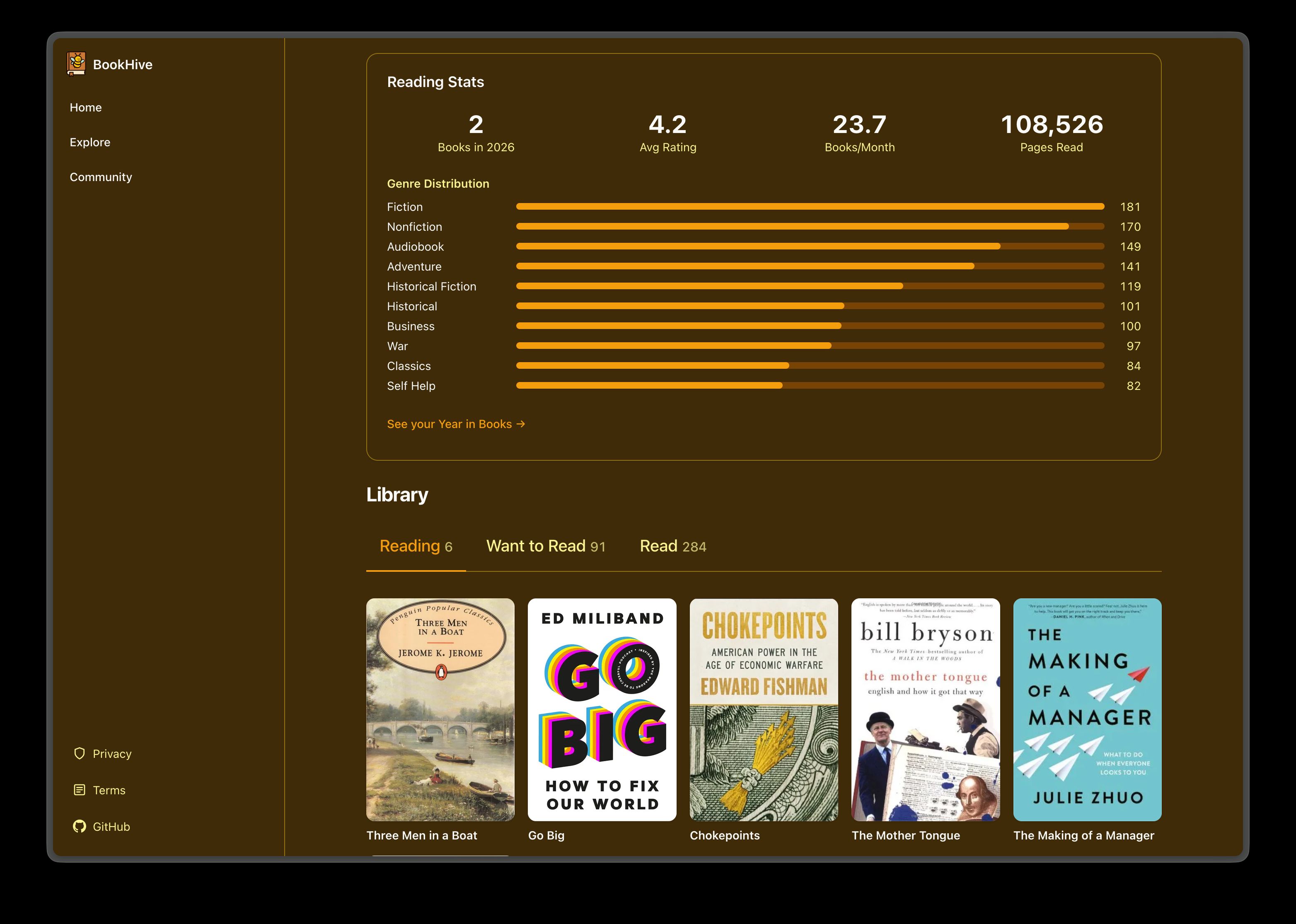
My BookHive library now has 389 books in it. My currently reading list has six and I’m actually reading them all, my want to read list has 91 that I do actually want to read, every book says whether I own it, and there are nine useful shelves. It’s probably the best data about my reading stuff that’s ever existed, and it took a couple of hours on a Friday evening (plus an afternoon of tidying up a few days later), half an hour of which was me clicking through a review page.
As with the Biggles site, I could have done this without AI. I just never would have.