Showing my Toolbox on this site
One of my ongoing projects is The Toolbox, a collection of practices, tools and advice which I’ve seen to be effective in helping teams work better together.
The collection lives in a Notion database and I use Super to publish it as part of my consulting site at betterat.work/toolbox. Here’s what it looks like over there…
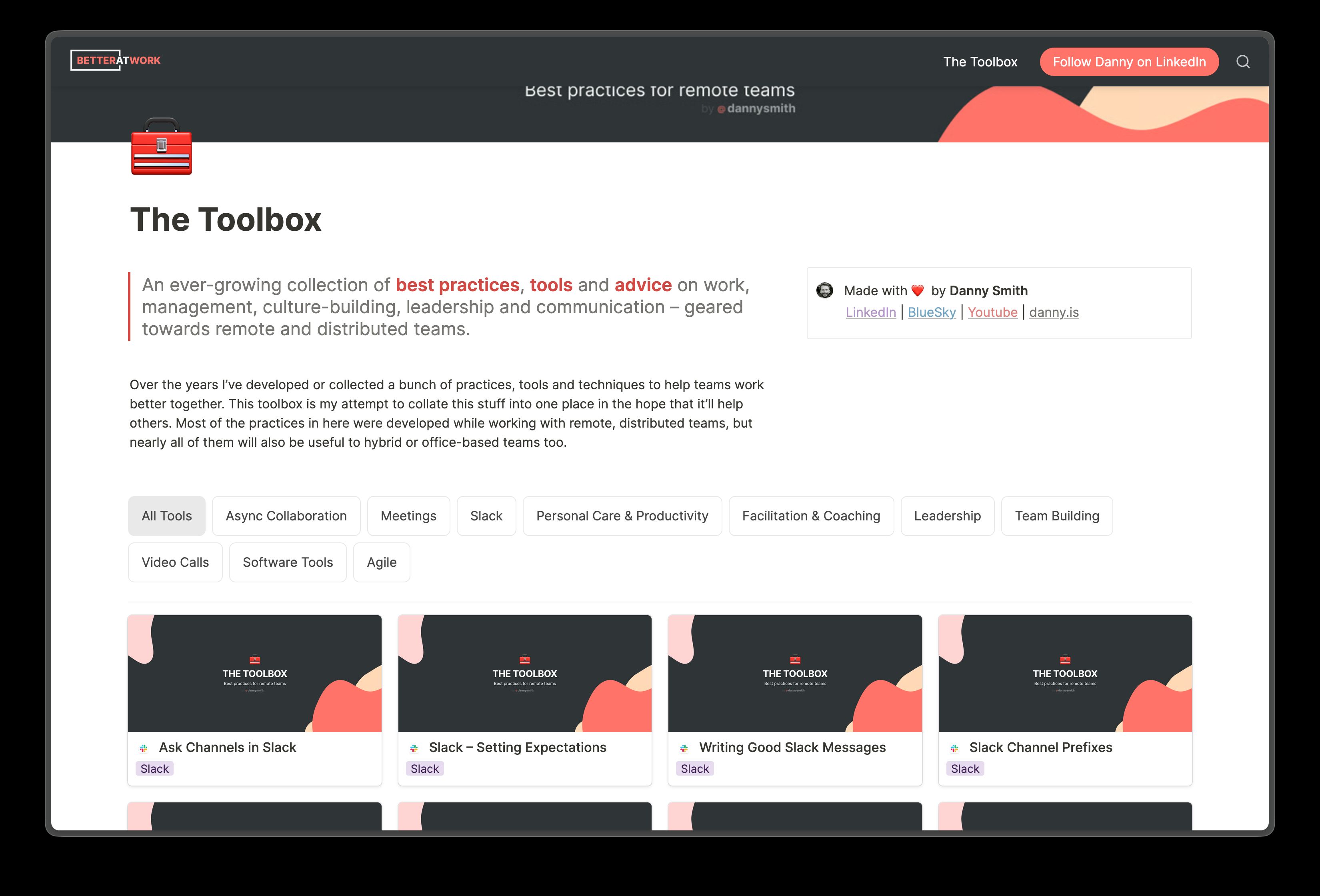
At some point I’ll move this site away from Super, either making it part of this site or moving betterat.work to its own Astro site. I’m undecided as to whether the toolbox will still be backed by Notion when I do that.
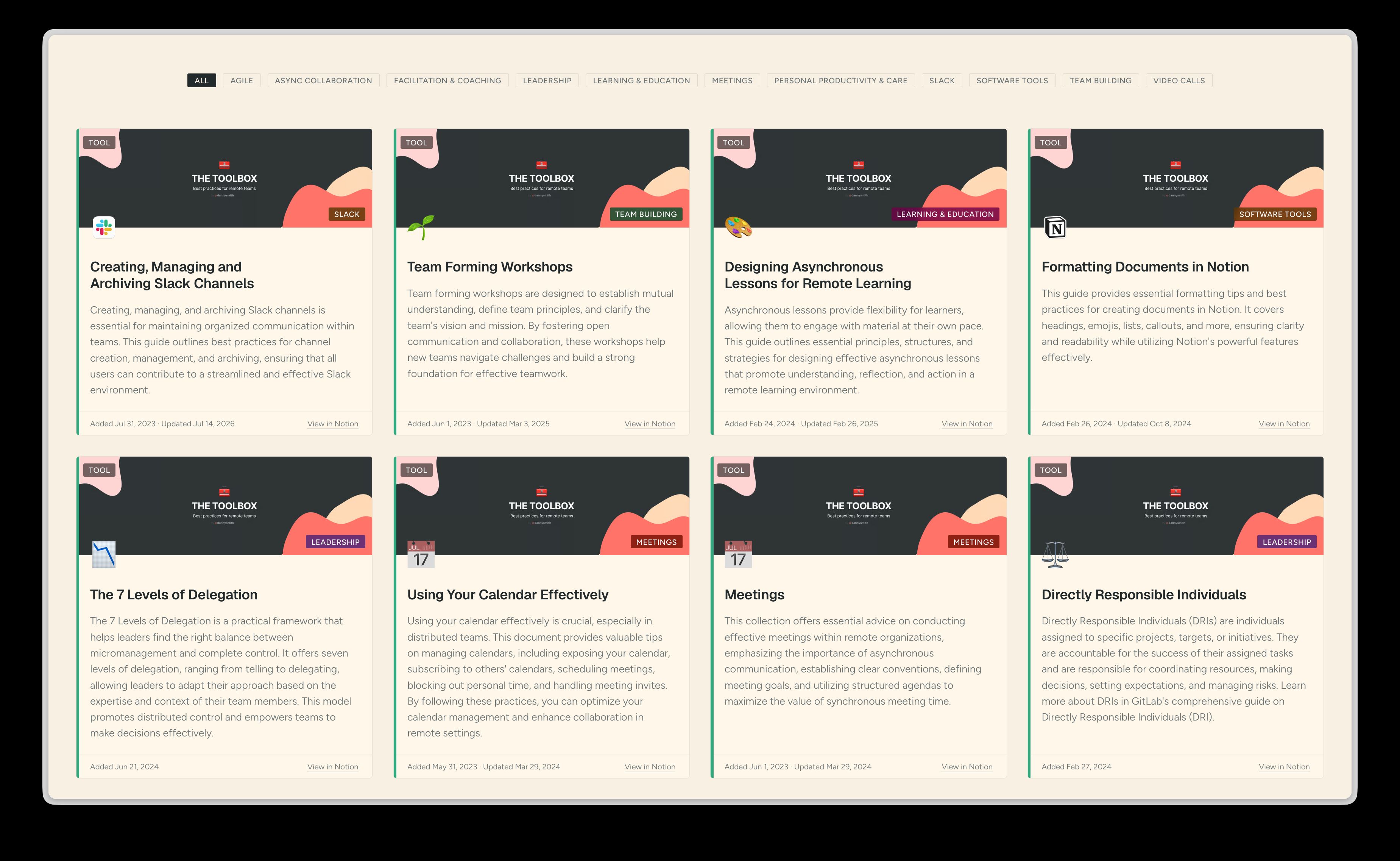
Until then, it’d be nice if I could show the collection of tools here as rich links to the tool pages on my work site.
So where /toolbox used to redirect to my work site, it now renders a page like this:
How does it work?
Aside from the page itself, there are four parts to this: a new JSON content collection, a ToolCard component, a script which updates the content collection data and a GitHub Actions workflow to run it.
The content collection
My schema now includes a toolboxPages collection loaded from src/content/toolboxPages.json. The items in it look like this:
{ "id": "sharing-appreciation", "title": "Sharing Appreciation", "url": "https://betterat.work/tool/sharing-appreciation", "notionId": "3a45c848-0747-49d8-9f82-f50f73cef196", "notionUrl": "https://dannysmith.notion.site/3a45c848074749d89f82f50f73cef196", "emoji": "❤️", "coverImage": "[...]", "category": "Team Building", "summary": "[...]", "created": "2024-02-26T20:25:59.822Z", "lastEdited": "2024-02-26T21:15:55.181Z", "displayOrder": 2 },The url points at the tool’s page on betterat.work and the notionId is Notion’s unique UUID for the page, which can also be used to view the public Notion page at notionUrl. Icons for Notion pages can be an emoji (emoji: <actual emoji> in the JSON) or image (iconUrl: <path to public image file on betterat.work>). The rest should be self-explanatory.
The ToolCard component
A new ToolCard component requires a CollectionEntry<'toolboxPages'> prop and looks like this:

An optional compact boolean prop produces:
Both variants should respond well inside containers of any size thanks to modern CSS and container queries.
The toolbox page
The cards are laid out using CSS grid on the actual page and can be filtered by category. The filter buttons are actually labelled radio buttons which hide and unhide tool cards with CSS like this:
main:has(#filter-remote-work:checked) .tool-card:not([data-category="Remote Work"]) { display: none; }The only client-side JavaScript involved is ~10 lines which trigger browser view transitions when the filters are changed.
I still feel a huge sense of wonderment at how easy it is to create robust, responsive components and layouts like this with so little CSS! ToolCard.astro contains ~170 lines and toolbox.astro only ~75, though both obviously lean on global styles.
Modern browsers are awesome. Modern CSS is incredible.
Populating the content collection
By far the most interesting challenge here was how to populate toolboxPages.json with the right information, especially as I don’t wanna have to manually trigger a rebuild when I update something in Notion.
I settled on a simple GH Actions workflow which executes a script to grab the data, compare it with the current JSON file and commit any changes to main (triggering a rebuild & deployment).
The get-toolbox-json.ts script has to fetch stuff from two sources:
- The toolbox index page as rendered by Super.so at betterat.work/tool because the pages it contains are what we’re actually gonna link to.
- The actual Notion database because we need some information which isn’t passed through to the rendered website by Super.
What we get from Super
Super is a Next.js app, so a GET request to betterat.work/tool returns server-rendered HTML with a bunch of embedded RSC flight data, which is basically loads of inline <script> elements pushing escaped JSON strings into a global array.
<script>self.__next_f.push([1,"5:[\"$\",\"$L2d\",null,{\"pageReplacement\":\"$undefined\",\"pageId\":\"tool\",\"records\":{\"__version__\":3,\"block\":{\"tool-writing-good-evergreen-documents\":{...</script>Our get-toolbox-json script grabs these chunks via regex, parses each JSON string and joins them into a big blob of probably-useful data. I think this stuff is React’s wire format for hydration because it seems to mostly be refs to JS chunks which Next.js cares about coz hydration stuff? 🤷♂️
1:"$Sreact.fragment"2:I[339756,["/_next/static/chunks/ebe94f77d09738d4.js"],"default"]9:I[897367,["/_next/static/chunks/ebe94f77d09738d4.js"],"ViewportBoundary"]...5:["$","$L2d",null,{"pageReplacement":"$undefined","pageId":"tool","records":{...}}]The fifth row here is what caught my eye: it’s a serialised React element whose props contain everything Super’s client component needs to render the gallery of tools. There’s no way to JSON.parse an object buried in the middle of a stream like this, so the script searches for the literal {"pageReplacement" and walks forward counting braces until they balance. (Yes, I’m aware this is probably brittle as fuck)
Turns out these props contain a very Notion-ish record map with a block for every tool page:
"tool-writing-good-evergreen-documents": { "id": "tool-writing-good-evergreen-documents", "title": [["Writing Good Evergreen Documents"]], "type": "page", "icon": "📝", "cover": "https://images.spr.so/cdn-cgi/imagedelivery/.../Toolbox_Header/public", "uri": "/tool/writing-good-evergreen-documents", "blockId": "52beb0d1-b64e-4165-a66a-29d2a69f803f", "createdTime": 1708989474574, "lastEditedTime": 1708991700189}I say Notion-ish because it’s kinda halfway between Notion’s internal format and what I’d expect Super to need for rendering a gallery like this as HTML. The blocks are keyed by Super’s slugs while titles keep Notion’s rich-text format (arrays of [text, annotations] segments). Compared with the data available from scraping the server-rendered HTML, this is way more useful for our needs. Doubly so because blockId is the actual Notion UUID for the tool page in question.
We also get a few bits that are only available from the Super-rendered site:
- The tool page’s canonical URI on
betterat.work, plus confirmation it’s been properly synced & published by Super (or else it wouldn’t be here at all). - A
coverImageURL hosted on Super’s CDN. Notion’s API returns covers as signed S3 URLs which obviously expire quickly. Super’s whole job is turning Notion stuff into proper websites, so they serve these kinda static assets the way any server-of-websites should… behind a CDN with all the appropriate caching and whatnot. - Same 👆 for any icons which are image URLs not emoji strings.
- Metadata like display order,
collectionId,viewIdandspaceIdwhich we can use later on.
What we get from the Notion API
The script also makes a single unauthenticated POST to https://www.notion.so/api/v3/queryCollection – an officially undocumented endpoint used by Notion’s own apps. The request includes the collection and view we discovered above, plus a “reducer” asking for up to 1000 rows:
{ "source": { "type": "collection", "id": "63c2a253-...", "spaceId": "5ba1b849-..." }, "collectionView": { "id": "da9b9dae-...", "spaceId": "5ba1b849-..." }, "loader": { "type": "reducer", "reducers": { "collection_group_results": { "type": "results", "limit": 1000 } }, "searchQuery": "", "userTimeZone": "Europe/London" }}Back comes an ordered list of row UUIDs and a recordMap of our tools. Here’s the one for Daily Standups, heavily trimmed:
{ "id": "9b659c77-4fd7-407e-b905-04054528be53", "properties": { "YJEd": [["Agile"]], "A@mW": [["Daily stand-ups are essential for team alignment..."]], "title": [["Daily Standups"]] }, "created_time": 1690858186374, "last_edited_time": 1694004507351}Notice the property keys are opaque four-character hashes. Decoding YJEd to “Category” and A@mW to “AI Summary” means using the database’s schema, which handily arrives in the same response:
"schema": { "YJEd": { "name": "Category", "type": "select", "options": [...] }, "A@mW": { "name": "AI Summary", "type": "text", "ai_inference": { "prompt": "Write a short one-paragraph introduction..." } }}Between these two requests we’ve got more than enough data to populate our toolboxPages.json collection and render a toolbox index 🥳
PS. Two years ago this whole approach would’ve felt scary because it’s so obviously mega brittle. Relying on an unofficial undocumented Notion API is bad enough, but at least it’s actually an API. The way I’m scraping data from Super’s Next.js app here feels all sorts of wrong and obviously unreliable. Except in the year 2026 I’m cool with that because I know that when this inevitably breaks I can ask a friendly robot to fix it and it’ll do so far better than I ever would’ve.