A place to keep single-page tools
I sometimes find myself vibe coding single-page HTML tools and “microsites” for specific use cases like my little biggles books site. It feels a bit silly for things like this to all have their own repos and subdomains.
Simon Willison keeps things like this in a single tools repo, deployed to tools.simonwillison.net. The majority of his tools are single HTML files in the root of the repo, usually accompanied by a [tool].docs.md describing the tool.
I’ve taken a leaf out of his book and created https://tools.danny.is to serve a similar purpose. A simple build script copies the tools into _site/ which is published on GitHub Pages. A tool can be one of three shapes in the repo:
Single HTML files in the repo root are published directly so my-tool.html → https://tools.danny.is/my-tool. Directories containing an index.html are treated similarly and published in full. I expect the vast majority of the stuff in here to be either single files or tiny directories with a couple of HTML files and maybe a CSS file and some images etc.
I also expect that occasionally I’ll want to use some more complex tooling so if a directory contains a package.json with a build script in it we don’t just publish the directory as-is. Instead, we run bun install and bun run build and publish my-tool/dist/ rather than my-tool/.
The Index Page
The build script generates an index page which looks like this.
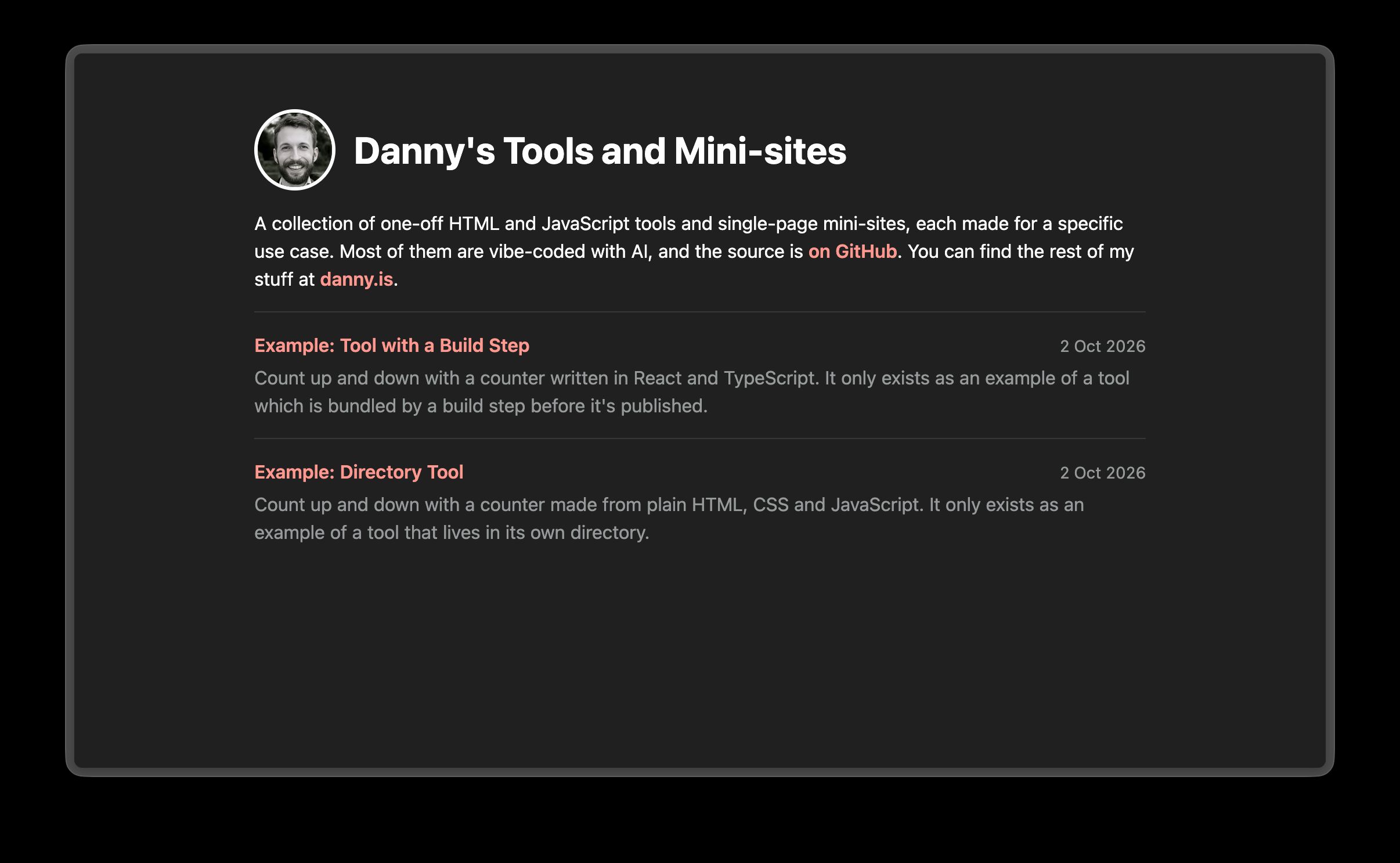
For each tool it shows:
- The title, taken from the
<title>tag or the file/directory name if there isn’t one. - A description, taken from the
<meta name="description">tag. A directory tool without one uses the first paragraph of itsREADME.mdinstead. - The date of the first commit that touched the tool. Renaming a tool will obviously reset this.
You can find the GitHub repo here.