A New Website for Astro Editor
When I released Astro Editor in January, the website was a hastily vibe-coded single HTML file full of the purple gradients that LLMs love so much. I’ve been meaning to re-do it for ages while knowing that a proper job would necessarily involve adding some actual documentation for the app too.
Because while Astro Editor isn’t an especially complicated app, its minimalist nature means that a lot of its features are hidden behind keyboard shortcuts and command palettes and so on. Moreover, users with unusual Astro setups deserve to have a decent reference for how schemas are read and how overrides are applied and used.
I finally found the time to do this last week, so https://astroeditor.danny.is is now a much better-looking Starlight site with a custom index page.
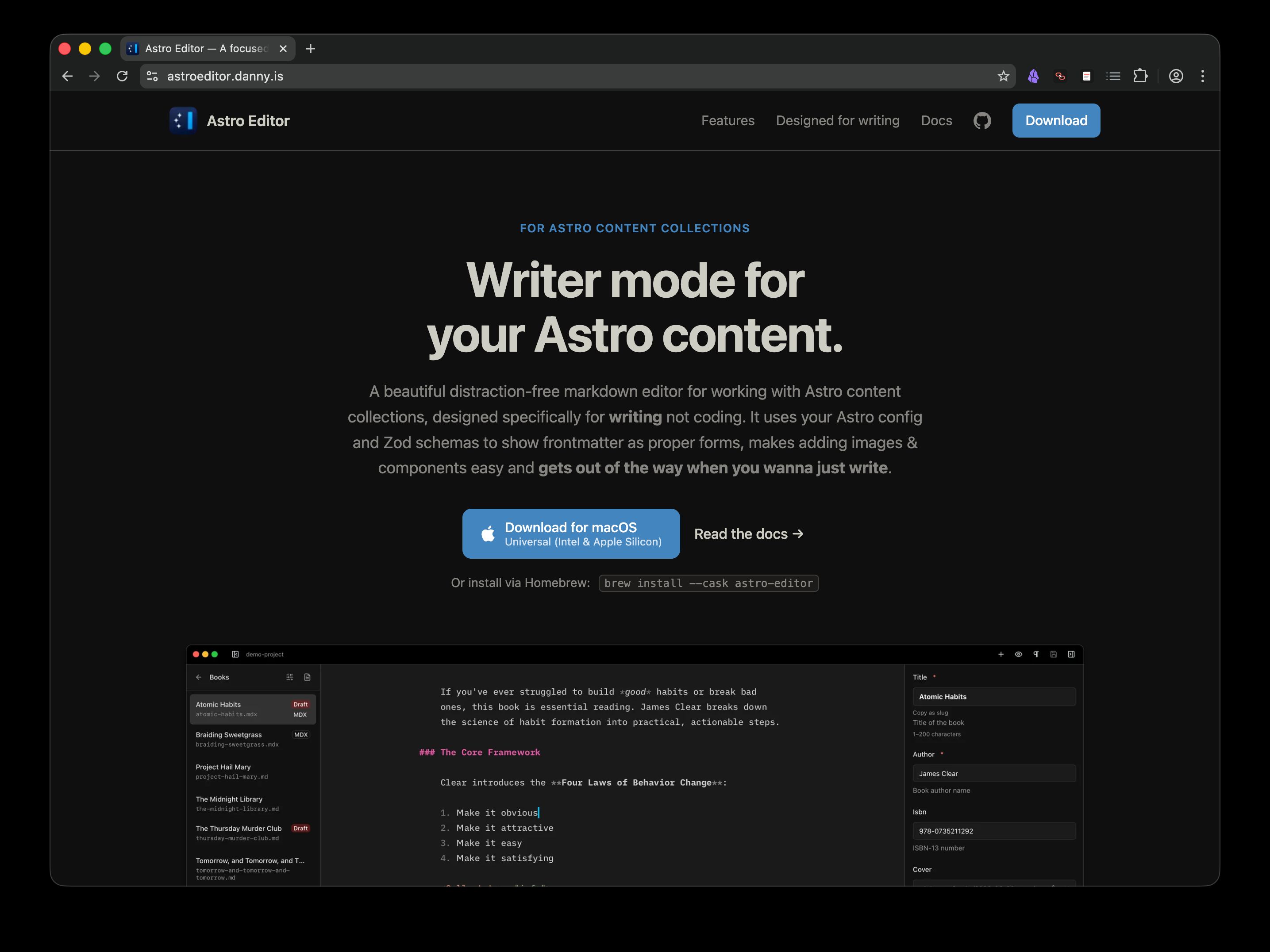
The homepage is simpler and responds properly to light and dark mode switches, and more importantly I think I’ve done a much better job of demonstrating what the app is and the features that make it unique and useful.
The new documentation site
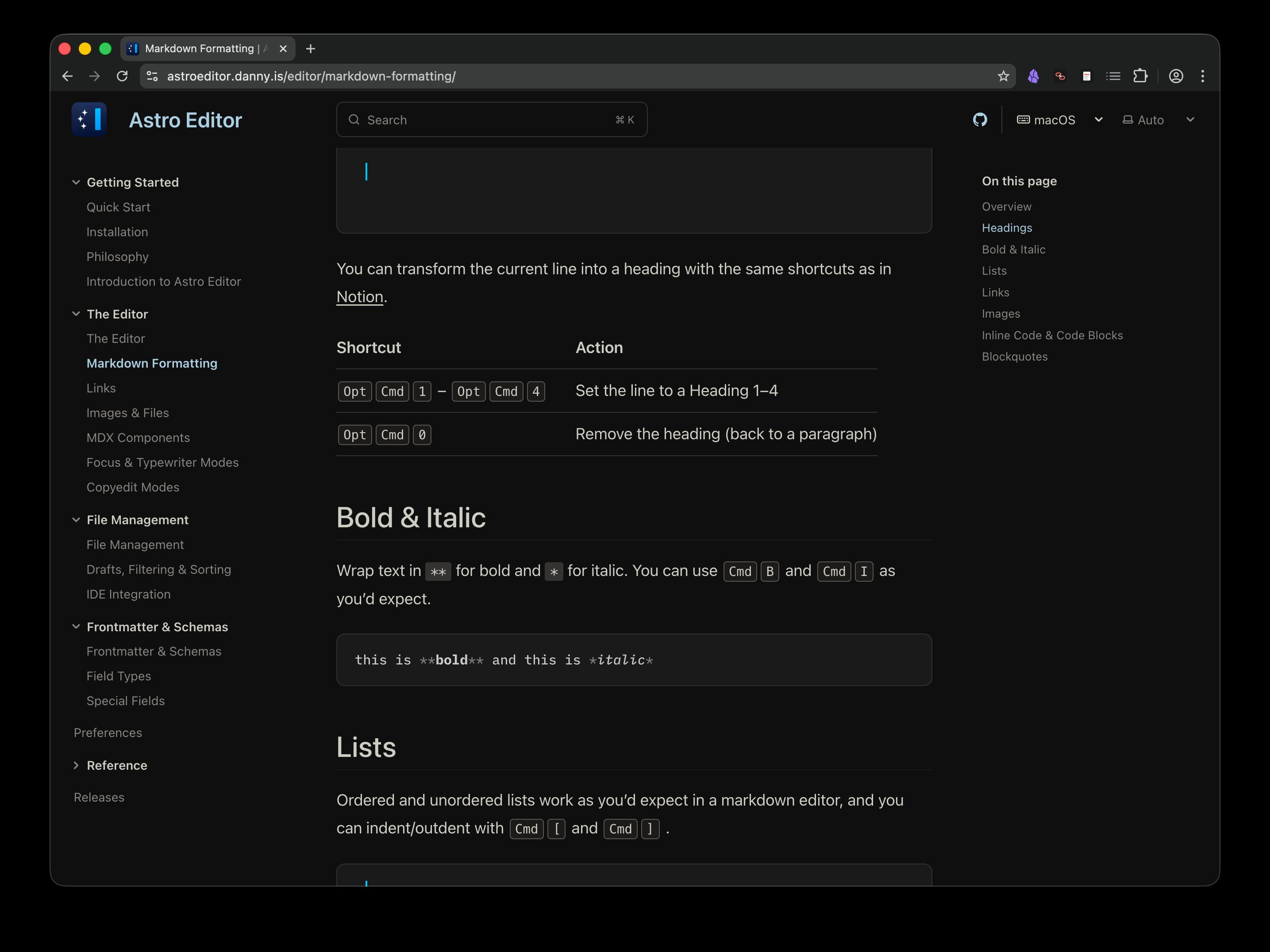
By far the biggest piece of work was writing the documentation pages because there were three or four options for how to conceptually structure them which all had their own pros and cons. In the end I settled on this top-level structure.
- Getting Started. The obligatory Quick Start and Installation pages, plus a dedicated Philosophy page covering writer mode vs coder mode and the app’s core principles. Arguably the most important page in here is Introduction to Astro Editor, which is an attempt to explain, using examples, why AE exists and the fundamentals of how it works.
- The Editor. Groups all the features for actually using the editor to write and puts them before any mention of file management or frontmatter fields, because this stuff is a bit less obvious from simply using the app.
- File Management. Groups everything to do with the left sidebar. Right now that’s mostly self-explanatory.
- Frontmatter & Schemas. Everything to do with schemas and the right sidebar, hopefully explained clearly and at the right level.
- Preferences. A single page explaining all the preference panes and settings.
- Reference. These aren’t really meant to be read top-to-bottom, they’re for looking stuff up.
- Releases. A list of all releases with their release notes.
Using AI to write docs
While I used Claude Code extensively to build the homepage, set up Starlight and constantly move, combine and rename pages as I changed my mind, it didn’t write many words or decide how to organise things. I tried that with the (much larger) docs for taskdn and while they’re mostly correct, they are not fun to read. So my use of AI with these docs was mostly limited to “Check I’m not missing anything here” or “Fix any typos”.
The major exception here is the documents under reference. An agentic coding tool with access to the actual codebase is perfectly suited to writing and maintaining dry, technical docs like a canonical keyboard shortcut or commands reference.
I think AI agents are awesome when used right. But I’m also fed up to the back teeth with reading AI slop, and used right for documentation is very different to used right for coding.