A screenshot command for my agents
When I’m doing visual work on this site with an AI agent, the agent needs to see what it’s built. Browser automation tools are fine for poking around a page, but they’re slow and only show one viewport at a time.
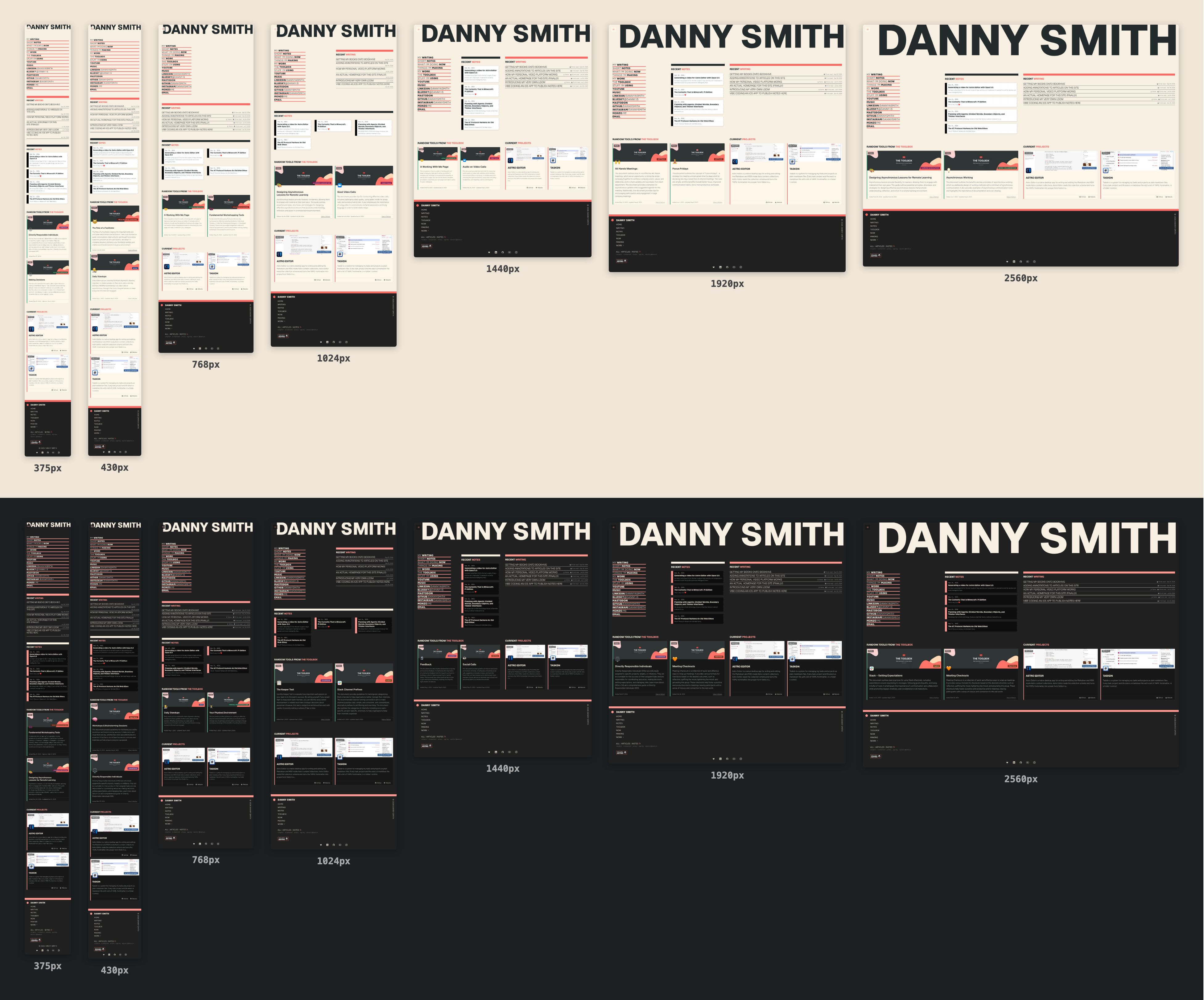
So I’ve added a bun run shoot command which takes full-page screenshots of any page on the site at a spread of widths, in light and dark mode. It dumps these into a temporary directory inside the project so I can look at them as well as the agent. It’s obviously mentioned in AGENTS.md too.
Here’s what it gives you for my homepage:
Usage
bun run shoot [path] [flags]pathis any path from the site root, like/writing. Defaults to/.--widths=390,1440sets the viewport widths. Defaults to375,430,768,1024,1440,1920,2560, which goes from a small phone up to an ultra-wide monitor.--theme=light|dark|bothpicks which OS colour scheme to emulate. Defaults to both.--out=<dir>sets where the PNGs go. Defaults todocs/tasks-todo/temporary/, which is gitignored.--base=<url>points it at a different server. Defaults tohttp://localhost:4321. Handy when some other project has grabbed that port.
Output
One PNG per width and theme, named <slug>-<theme>-<width>-<timestamp>.png. The homepage run above produced this:
-
docs/tasks-todo/temporary
- home-dark-375-20260930-021911.png
- home-dark-430-20260930-021911.png
- home-dark-768-20260930-021911.png
- home-dark-1024-20260930-021911.png
- home-dark-1440-20260930-021911.png
- home-dark-1920-20260930-021911.png
- home-dark-2560-20260930-021911.png
- home-light-375-20260930-021911.png
- home-light-2560-20260930-021911.png
The slug comes from the path, so / becomes home and /writing/calendar becomes writing-calendar. Every shot in a run shares a timestamp.
How it works
It’s just a Node script which uses Playwright. For each theme it opens a browser context with colorScheme set to light or dark, so the site’s prefers-color-scheme styles are used. Then for each width it sets the viewport, loads the page, waits for the network to go quiet and takes a fullPage screenshot. The source is on GitHub if you want to pinch it.