Vibe coding an iOS app to publish notes here
I currently publish two kinds of content on this site: articles and notes. I write all my articles in Astro Editor, with in-progress work committed to main as drafts and pushed to GitHub regularly. When I’m ready to publish an article I have Claude Code check for spelling errors, flip the draft toggle and – after checking it looks okay on my local dev server – commit and push. Pushes to main trigger a GitHub action which rebuilds the static site and redeploys it.
This process works great for articles, especially since I now keep two local copies of this repo: one for working on the site’s code (which is often not on main) and one for working on content (which is always on main).
This also works great for notes like this one which are basically mini-articles, but it’s not ideal for ones like this which are responses to stuff I found online.
When I find something interesting online I want to open Astro Editor, create a new note, paste the URL I found into sourceURL and then type my comments… that’s way too much faff.
There’s gotta be a chrome extension for that?
I think this was actually one of the first things I fully vibe-coded. It’s a Chrome sidebar extension which grabs the URL and title of the current tab and lets me add some notes. Hitting save writes a new draft note to my local copy of this site with appropriate frontmatter and filename.
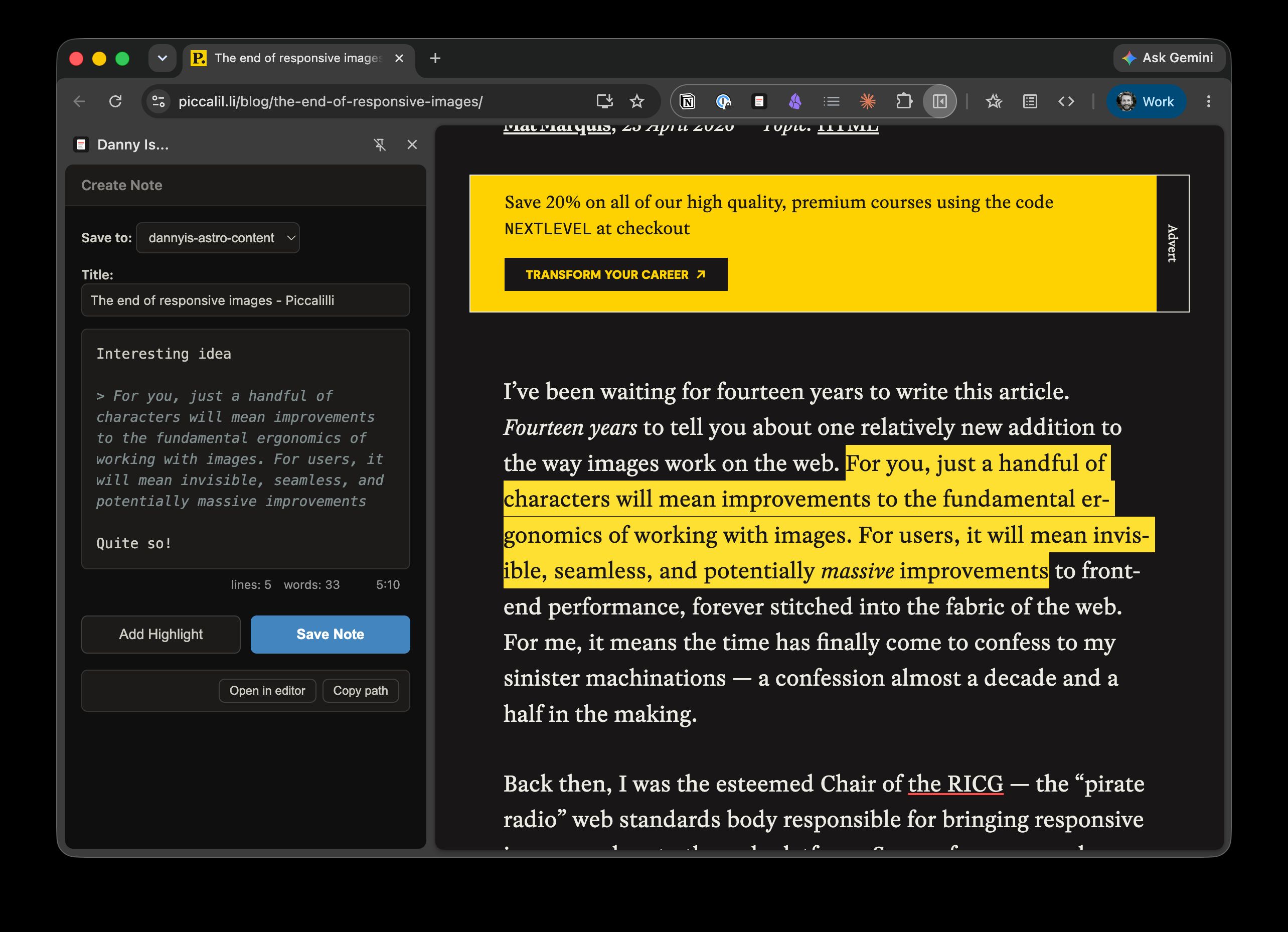
The textarea supports markdown & keyboard shortcuts, and the Add Highlight button grabs the selected text from the page and adds it to the textarea as a blockquote. This works great when I wanna comment on multiple quotes from an article.
Notes created this way obviously won’t go live until I’ve removed draft: true, committed and pushed. I can live with that – it only takes a few seconds and if I forget, it’ll happen when I’m next in the repo.
I use Astro Editor and this Chrome extension on my desktop machine, and both are designed to work with local files on it. This works because I’ll always have a local copy of my website’s repo, and the tooling to quickly commit and push.
This is not so on my iPhone…
Vibe coding my first personal iOS app
I do not like writing on my phone and am never gonna use it to work on articles or long notes for this site. The closest I’m likely to get is the scrappy thoughts that might someday make it to this site, for which I use Obsidian.
The only phone-based thing I wanna do re. this website is quickly create (and sometimes publish) short notes about the thing I’m reading. And damn have I realised I wanna do that a lot.
I probably do eighty percent of my online reading on my phone and while I have a perfectly good system for clipping stuff into Obsidian, I almost never remember to share it here afterwards.
What I need is something similar to my chrome extension, but on my phone. And since I don’t have a local copy of this website on my phone it will need to write directly to GitHub.
So I (mostly) vibe-coded a little iOS app specifically for this…
How it works
The app ships with a Share Sheet extension which lets me save a new draft note from pretty much any app. If there’s a URL or title available they’ll be passed to the app along with any notes I type into the share sheet. The notes field will be pre-populated with any selected text.
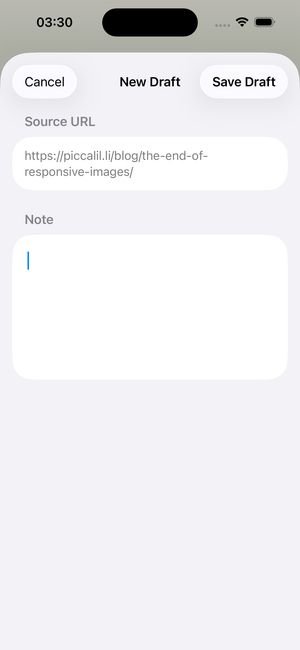
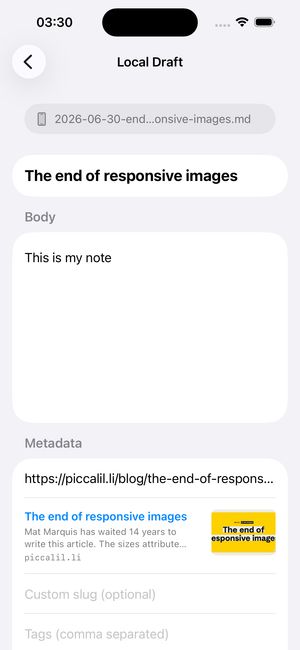
Opening this note in the actual app looks like this. The title, sourceURL and body fields have been properly populated and a suitable filename has been generated. We can also see a link preview for the source URL.
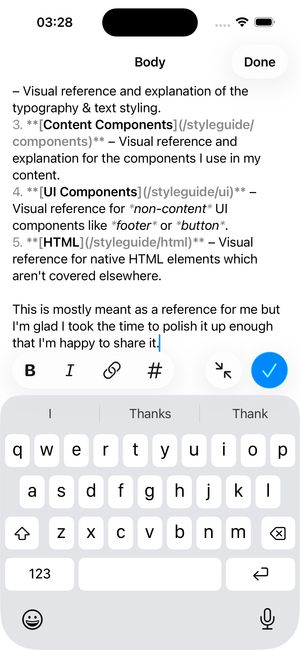
The body field supports simple markdown formatting and can be expanded for easier writing.
All new notes are created as Local Drafts and stored as Swift data on the device. These can be created, edited and deleted in the app.
Getting notes to GitHub
When the app loads, it fetches all my notes via the GitHub API, parses the relevant frontmatter and stores them in the app. Published notes get a green label while unpublished drafts get an orange one.
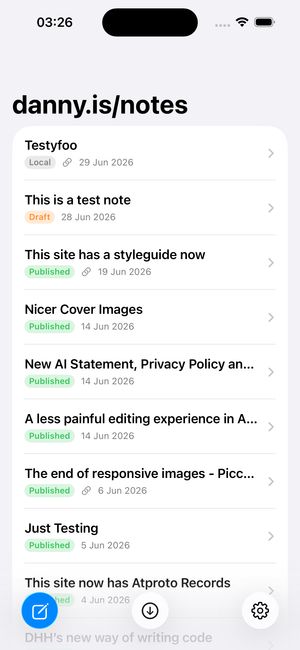
When I’m done with a local draft I have two options: I can push it to GitHub as a draft or publish it immediately. In both cases the app uses the GitHub API to make a new commit adding the new note to the repo – publish just removes draft: true from the frontmatter.
I originally planned to leave it at this but I can easily imagine pushing a new note and then spotting an error in it, so it’s also possible to edit and delete notes. Published notes can be “unpublished”, which makes a new commit adding draft: true and unpublished drafts can be published by doing the reverse. Notes can also be permanently deleted via the app, but I can’t see myself doing that very often.
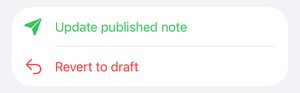
Any note which exists on GitHub and is later edited in the app is marked as having local changes and I have the option to either update the note on GitHub with those changes or overwrite the local data with whatever is on GitHub. There’s also a tiny bit of cleverness to deal with notes which have been updated on GitHub and ensure the local data is updated on sync.
Here’s the code if you wanna have a nose…
 github.com
Building Apps for One
The initial build of this took about two hours, most of which was me getting clear on what I actually wanted and adequately explaining that to Claude Code. I’ve probably spent another ninety minutes or so glancing over some of the code and iterating with Claude on the visual design.
I’d probably never have bothered building this before AI models got good at coding, but if I had I would certainly have tried to make it usable for people other than me.
The biggest reason I was able to get this done so quickly is the number of decisions I didn’t need to make because this only needs to work for me. All the info about my Astro site is hard-coded, as are the fields for my notes schema. I auth with GitHub via a scoped Personal Access Token, not a complex OAuth flow. It’s only been tested on an iPhone 15 Pro because that’s the only device it’ll be used on. The UI is designed to my taste alone. And so on.
But perhaps most exciting for me is that I’ve just built my first iOS app in under three hours. And while I only hand-wrote about four lines of code, the simplicity inherent in such a tightly-scoped App for One means I’ve read and understood most of it. That, plus working in a tight feedback loop with Claude Code has allowed me to learn a lot of new things very quickly here.